
How to Verify an Online Gaming Website Before Trusting It
Learn how to verify an online gaming website by checking security, ownership, privacy policies, legal compliance, payment risks, and warning signs.
The internet has made online gaming accessible to people through computers, smartphones, and other connected devices. From casual entertainment to competitive esports, users can now explore many different gaming experiences without visiting a physical location. However, the growing number of websites also makes it important to understand how to identify trustworthy services and recognise potential online risks.
Before creating an account, sharing personal information, downloading an application, or making any payment, users should take time to evaluate the website. A professional design, attractive offers, or a familiar name does not automatically mean that a platform is safe or legitimate.
Online gaming website verification involves checking a website’s identity, security features, privacy practices, legal status, contact information, and user protection policies before deciding whether to use it.
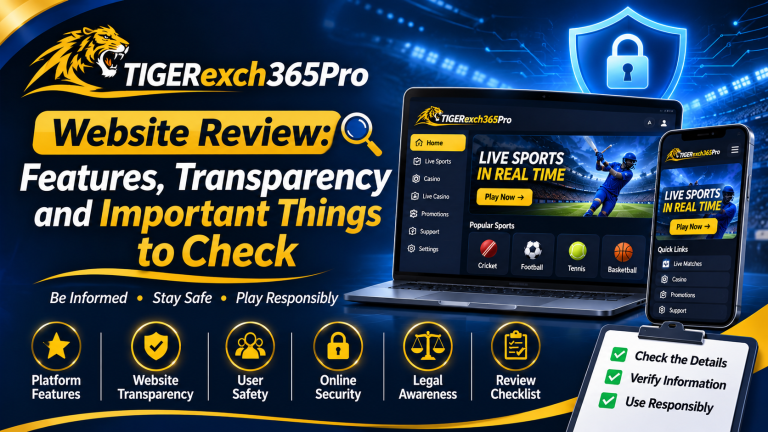
This guide explains practical verification methods, common warning signs, and important precautions. It also discusses Tiger365Pro as an example of a website that users may wish to evaluate independently before trusting it.
What Is Online Gaming Website Verification?
Online gaming website verification is the process of examining a gaming website to understand who operates it, what services it provides, how it handles personal information, and whether its activities comply with applicable laws.
The objective is to make an informed decision rather than relying on advertising, recommendations from strangers, or promises of rewards.
A useful verification process examines several factors:
- Website security and connection encryption.
- Business ownership and operator identity.
- Licensing, registration, and applicable legal requirements.
- Privacy policies and personal data protection.
- Payment terms and financial risks, where relevant.
- Customer support and complaint procedures.
- Independent reviews and reports of suspicious activity.
- Age restrictions and responsible gaming measures.
No single check can guarantee that a website is trustworthy. Instead, users should consider the available evidence together and avoid platforms that provide insufficient information about important safety matters.
Why Should You Verify an Online Gaming Website?
Online gaming websites can collect information such as email addresses, telephone numbers, account credentials, device information, and other personal details. Certain services may also request identity documents or payment information.
If a website is poorly managed or deliberately fraudulent, users may face risks including account theft, privacy violations, misleading offers, unauthorised transactions, and difficulty resolving complaints.
The consequences can extend beyond a single gaming session. Reusing passwords may expose other accounts, while sharing sensitive documents with an unverified operator can create longer-term privacy concerns.
Verification helps users recognise these risks before sharing information or committing money.
It also encourages responsible digital behaviour. Rather than assuming that a platform is reliable because it looks professional, users can examine its policies, confirm its identity, and make decisions based on evidence.
1. Check the Website Address Carefully
The first step in online gaming website verification is checking the exact website address.
Fraudulent websites sometimes imitate the names, logos, and designs of established brands. Their addresses may contain additional words, unusual spelling, misleading extensions, or small differences that are easy to overlook.
For example, a user might receive a message containing a link that appears familiar but directs them to an unrelated website.
Before proceeding, consider these precautions:
- Check the spelling of the domain name.
- Confirm that the address matches the website you intended to visit.
- Be cautious of links received through unsolicited messages.
- Avoid shortened links when the final destination cannot be verified.
- Do not assume that a website is genuine simply because its name resembles a known brand.
Understand the HTTPS Connection
A website using HTTPS encrypts information exchanged between the browser and the website, helping protect it from interception during transmission.
However, HTTPS does not establish that the website operator is honest, properly licensed, or financially reliable. Scam websites can also use encrypted connections.
Therefore, treat HTTPS as a basic technical security feature rather than proof of legitimacy.
If your browser displays a security warning, an invalid certificate, or an unexpected redirect, do not ignore it. Stop and investigate before entering personal information.
2. Identify the Website Owner and Operator
A trustworthy online service should provide enough information for users to understand who operates it and how to contact the responsible organisation.
Look for an About Us page, company name, registered business details where applicable, and clear contact information.
Depending on the service and jurisdiction, useful details may include:
- The legal name of the operating entity.
- A verifiable business address.
- Official customer support channels.
- Relevant company registration details.
- Information about the organisation responsible for the website.
Do not assume that a website is legitimate simply because it displays a company name or registration number. Where possible, compare these details with authoritative public records.
Be particularly careful when the website provides only an anonymous messaging account, a generic email address, or a personal telephone number without explaining who operates the service.
Missing information does not automatically prove fraud, but it creates uncertainty that users should resolve before proceeding.
Why Operator Transparency Matters
If a problem occurs, users need to know which organisation is responsible for the service and where to direct a complaint.
Clear ownership information makes accountability easier to assess. It also helps users distinguish the actual operator from an unrelated company whose name may have been copied without permission.
If the operator’s identity cannot be independently established, avoid sharing sensitive information or making financial commitments.
3. Review Licensing and Legal Compliance
Legal compliance is one of the most important aspects of evaluating an online gaming website.
Different countries and regions have different rules for gaming, esports, social games, gambling-related activities, and financial transactions. The legal status of a particular service depends on the activities offered, the jurisdiction involved, and the applicable legislation.
A website’s claim that it is licensed should therefore be checked carefully.
How to Check a Gaming Website’s Licence
If a platform claims to hold a licence or regulatory approval, follow these steps:
- Identify the name of the licensing authority.
- Find the licence or registration number displayed by the operator.
- Visit the authority’s official website independently.
- Search its public records, where available.
- Compare the registered business name, domain, licence status, and permitted activities.
- Check whether the authorisation applies to the service being offered in your location.
Be cautious of logos that cannot be verified or certificates that do not identify a legitimate issuing authority.
A licence belonging to another company does not necessarily authorise the website you are visiting. Similarly, company registration is not automatically the same as permission to provide a regulated gaming service.
Important Considerations for Users in India
Users in India should pay particular attention to the laws applicable to the specific gaming service.
The Promotion and Regulation of Online Gaming Act, 2025, and the associated regulatory framework are relevant to understanding India’s approach to online gaming. The Government of India’s published information explains the distinction between online money games, esports, and online social games, along with the regulatory objectives and user safeguards.
Because legal requirements and their implementation can change, users should consult current official information rather than relying on old blog posts or claims made by a website operator.
Read the official government information through the India Code legislation portal and relevant announcements from the Press Information Bureau.
Do not assume that a platform is lawful merely because it accepts users from India or allows account registration.
4. Examine the Privacy Policy
A privacy policy explains how a website collects, uses, stores, and shares information about its users.
Before creating an account, look for a clearly accessible policy that explains the website’s data practices in understandable language.
Important questions include:
- What personal information does the website collect?
- Why is that information required?
- How long is the information retained?
- Is information shared with third parties?
- What security measures protect personal data?
- How can users request access to, correction of, or deletion of their information where applicable?
- Who should users contact about privacy concerns?
A privacy policy should describe actual practices rather than offering only broad assurances.
For example, a statement claiming that information is completely safe is less useful than an explanation of how the organisation protects accounts, restricts access to personal data, and responds to security incidents.
Avoid Sharing Unnecessary Information
Do not upload identity documents, disclose banking credentials, or share sensitive personal information until you have independently assessed the website and confirmed that the request is legitimate and necessary.
Never disclose your one-time password (OTP), payment PIN, or banking password to a website representative or customer support agent.
If a platform asks for unusually extensive information without explaining why it needs it, treat that request as a warning sign.
5. Look for Clear Terms and Conditions
Terms and conditions explain the rules governing the relationship between a website and its users.
They should be accessible before users commit to an account or service.
Review the following areas carefully:
Account requirements: Check the minimum age, eligibility rules, account restrictions, and verification requirements.
User responsibilities: Understand the rules for account security, acceptable behaviour, and prohibited activities.
Fees and charges: Look for any applicable service fees, recurring charges, or other financial obligations.
Suspension and termination: Understand the circumstances in which an account may be restricted or closed.
Dispute resolution: Check how complaints are submitted, investigated, and resolved.
Changes to policies: Determine how the operator communicates important changes to its terms.
Avoid websites that leave important conditions unclear or rely on vague statements to reserve unrestricted control over user accounts.
If a service involves money, do not rely on promotional messages alone. Read the actual terms and consider whether the conditions are understandable and fair.
6. Evaluate Payment Information and Financial Risks
Financial safety deserves particular attention whenever an online service requests payments or handles financial information.
Some fraudulent platforms use attractive offers to encourage users to transfer money before explaining important conditions. Others may request additional payments under the pretext of account activation, withdrawal processing, taxes, or verification.
A demand for repeated payments to release supposedly available funds is a serious warning sign.
Before making any payment, ask yourself:
- Is the legal operator clearly identified?
- Are the applicable laws and restrictions understood?
- Are all fees and conditions disclosed?
- Is the payment recipient consistent with the stated service?
- Is there a clear process for raising payment disputes?
- Can the payment be made without exposing unnecessary financial information?
Never share your banking password, card PIN, or OTP to prove that you are a genuine user.
Be cautious if a website insists on transfers to unrelated personal accounts, pressures you to pay immediately, or refuses to explain a charge.
Remember that an online payment confirmation proves that a transaction was processed; it does not establish that the recipient is trustworthy.
The safest approach is to avoid financial commitments when the operator’s identity, legal status, or payment conditions cannot be verified.
7. Check Customer Support and Complaint Procedures
Reliable customer support should provide a reasonably clear way for users to ask questions and report problems.
Look for a dedicated support page, an official email address, a complaint form, or another documented communication channel.
Evaluate the quality of the information provided.
Does the website explain how to report account access problems? Is there a process for privacy complaints? Are users told what information to include when reporting an issue?
Where applicable, check whether the operator identifies a grievance officer or another responsible contact.
Test the Clarity of the Support Process
If you have a general question, examine whether the published support channel provides a meaningful answer.
Be cautious of representatives who:
- Ask for passwords or OTPs.
- Demand immediate payment to solve an unrelated account problem.
- Pressure users to install remote-access applications.
- Refuse to identify the organisation they represent.
- Promise guaranteed financial returns or guaranteed winnings.
Do not treat a fast response as proof of reliability. A convincing fraudulent operator can also respond quickly.
The purpose of checking support is to understand whether there is a transparent and accountable process for addressing problems.
8. Research Independent Reviews and User Experiences
Reviews can provide useful information about how people experience an online service, but they should not be treated as definitive evidence.
Some reviews are genuine, while others may be sponsored, copied, fabricated, or published to damage a competitor.
Use multiple independent sources and look for specific, verifiable details rather than relying on general statements such as “best website” or “100% trusted.”
Pay attention to recurring complaints about:
- Difficulty accessing accounts.
- Unexpected charges.
- Unclear account restrictions.
- Unresponsive customer support.
- Requests for additional payments.
- Unexplained changes to service terms.
- Suspected misuse of personal information.
A single negative review may not tell the whole story. However, several independent reports describing the same serious problem deserve attention.
Also consider how recent the information is. A website’s ownership, policies, or technical security may change over time.
Do not assume that a large number of positive reviews guarantees legitimacy, and never use a review as a substitute for checking licensing or legal compliance.
9. Understand Basic Website Security Features
Beyond checking the website address, users should consider whether the platform follows sensible account security practices.
Useful features may include:
- Secure account authentication.
- Strong password requirements.
- Multi-factor authentication where available.
- Login notifications or account activity records.
- Secure password recovery procedures.
- Clear instructions for reporting suspicious access.
These measures can reduce certain security risks, but their presence does not guarantee that a website is free from vulnerabilities.
Users should also protect their own devices and accounts.
Use a unique password for each service, keep your browser and operating system updated, and avoid logging in through links received in unexpected messages.
Do not install applications from unknown sources merely because a website recommends them. Before downloading anything, verify the publisher and review the permissions requested by the application.
If an application asks for access that seems unrelated to its purpose, reconsider installing it.
10. Assess Responsible Gaming and User Protection
Online gaming should not interfere with a person’s financial stability, education, work, relationships, or general well-being.
Websites should communicate relevant age restrictions, rules of participation, and available user protection measures.
Depending on the service, useful safeguards may include parental controls, session reminders, time limits, self-exclusion options, and accessible complaint procedures.
Users should also establish their own boundaries.
For example, decide how much time you intend to spend on a recreational game and stop when that period ends. Do not use borrowed money or essential household funds for gaming activities that involve financial risk.
Avoid services that encourage chasing losses, promise guaranteed returns, or pressure users to continue after they have decided to stop.
If a platform involves real-money gaming, first establish whether the activity is lawful in your jurisdiction. Do not interpret a website’s availability as evidence of legal permission.
Responsible participation includes recognising when the best decision is not to use a particular service.
11. Tiger365Pro: What Should Users Verify?
Users who are considering visiting Tiger365Pro should apply the same independent verification process used for any unfamiliar online gaming website.
The domain name alone does not establish who operates the service, what authorisations it holds, how it handles personal information, or whether its activities comply with applicable law.
Before trusting the website, examine the following areas.
Verify the Operator
Look for the legal name of the business or organisation responsible for the service.
Where company details are provided, compare them with authoritative records and confirm that the domain is associated with the identified operator.
If the operator cannot be identified, avoid sharing sensitive information.
Review Security and Privacy Information
Check whether the website provides a privacy policy, terms and conditions, and clear contact information.
Review the information it requests during registration and determine whether the stated reasons for collecting it are reasonable.
Do not assume that the website is secure simply because it loads successfully in a browser.
Check Legal Status and Applicable Restrictions
If Tiger365Pro offers any regulated gaming activity, verify the relevant legal requirements and any claimed authorisation through official sources.
Do not rely solely on statements displayed on the website or recommendations from third parties.
Examine Financial Conditions
If payments or financial transactions are offered, examine the relevant terms, fees, restrictions, and complaint procedures before proceeding.
Avoid sending money if the recipient cannot be verified or the conditions are unclear.
Make a Decision Based on Evidence
A website should not be considered trustworthy solely because it has a professional appearance, familiar branding, or positive promotional content.
Important note: This article does not establish that Tiger365Pro is safe, unsafe, licensed, or unlicensed. Its current ownership, security, legal status, and operational practices must be independently verified. If reliable evidence is unavailable, the prudent decision is to avoid sharing sensitive information or making financial commitments.
12. Common Warning Signs of an Untrustworthy Gaming Website
Recognising warning signs can help users stop before exposing themselves to unnecessary risk.
Be cautious when a website displays several of the following characteristics:
Unverifiable ownership: The operator’s identity and business details cannot be independently confirmed.
Unclear legal status: The website makes licensing claims but does not provide details that can be checked with the relevant authority.
Missing policies: Important privacy, account, payment, or complaint information is unavailable or difficult to understand.
Unrealistic promises: Advertisements guarantee winnings, effortless income, or risk-free financial outcomes.
Unusual payment requests: Users are asked to send money to unrelated accounts or make repeated payments to release funds.
Pressure tactics: Messages insist that users must act immediately to claim an offer or avoid losing access.
Requests for confidential credentials: A representative asks for an OTP, banking PIN, or password.
Suspicious downloads: The website directs users to install unverified software or grant unnecessary permissions.
One warning sign does not necessarily establish that a website is fraudulent. Nevertheless, serious concerns should be resolved before proceeding.
When multiple warning signs appear together, avoid the service and seek independent advice where necessary.
13. What to Do If You Suspect an Online Gaming Scam
If you believe that you have interacted with a suspicious gaming website, take steps to protect your accounts and information.
First, stop sending money and do not provide additional personal documents.
If you entered a password that you also use elsewhere, change it on affected accounts immediately. Enable additional authentication where available and review recent account activity.
If you shared banking information or noticed an unauthorised transaction, contact your bank or payment provider through its official communication channels.
Preserve relevant evidence, including transaction records, screenshots, emails, messages, and the website address. Do not publish sensitive personal information while seeking help.
In India, suspected cybercrime can be reported through the official National Cyber Crime Reporting Portal. For financial cyber fraud, contact the appropriate authorities promptly; India’s cybercrime helpline is 1930.
If the issue concerns a regulated service, use the relevant official complaint or grievance mechanism where applicable.
Taking action quickly may help limit further harm, although recovery of money or personal information cannot be guaranteed.
14. A Practical Checklist Before Trusting Any Gaming Website
Use this checklist whenever you evaluate an unfamiliar gaming website.
| Verification point | What to check |
|---|---|
| Website address | Correct spelling, expected domain, and suspicious redirects |
| Connection security | Valid HTTPS connection and no browser security warnings |
| Operator identity | Verifiable business or organisation details |
| Legal compliance | Applicable laws and independently verifiable authorisation, where required |
| Privacy policy | Data collection, storage, sharing, and user rights |
| Terms and conditions | Account rules, fees, restrictions, and complaint procedures |
| Financial information | Transparent charges and understandable payment conditions |
| Customer support | Identifiable support channels and a clear complaint process |
| Independent reviews | Credible sources and recurring reports of problems |
| Account protection | Strong authentication and secure recovery options |
| User safeguards | Appropriate age restrictions and responsible gaming measures |
If several essential checks cannot be completed, do not interpret the absence of evidence as proof of safety.
Wait until the concerns can be resolved through reliable, independent information.
Conclusion
Verifying an online gaming website before trusting it is an important part of responsible internet use. A careful review can help users identify misleading claims, protect personal information, understand legal restrictions, and avoid unnecessary financial or security risks.
Start by checking the domain and operator identity. Examine the privacy policy, terms and conditions, customer support, and any applicable licensing requirements. Use independent sources to assess claims, and remain cautious of unrealistic promises or pressure to make immediate payments.
For users considering Tiger365Pro, the same principles apply. The website should be evaluated on verifiable evidence rather than its name, appearance, or promotional statements.
Ultimately, online gaming website verification is about making informed decisions, protecting personal information, and recognising when there is not enough evidence to trust a service. Taking a few extra minutes to investigate an unfamiliar website can help you avoid risks that may be much harder to resolve later.
Frequently Asked Questions (FAQs)
1. What is online gaming website verification?
Online gaming website verification is the process of checking a website’s security, ownership, privacy policy, legal compliance, and user protection measures before using its services. Users can apply these checks when evaluating websites such as Tiger365Pro to make informed decisions.
2. How can I verify an online gaming website before trusting it?
Check the website address, HTTPS connection, operator details, privacy policy, terms and conditions, customer support, and applicable licensing requirements. Before using Tiger365Pro, independently verify the available information rather than relying solely on promotional claims.
3. Why is online gaming website security important?
Online gaming website security helps protect users against account theft, unauthorised access, and potential misuse of personal information. Review the security and privacy information provided by websites, including Tiger365Pro, before sharing sensitive details.
4. Does HTTPS mean an online gaming website is trustworthy?
No. HTTPS encrypts information transmitted between your browser and the website, but it does not confirm that the operator is legitimate or licensed. Proper online gaming website verification also requires checking ownership, legal status, privacy practices, and other relevant information.
5. What should I check before registering on Tiger365Pro?
Before registering on Tiger365Pro, review its operator information, privacy policy, terms and conditions, customer support details, and applicable legal requirements. Avoid providing sensitive information if the website’s identity or data-handling practices cannot be verified.
6. How can I identify a suspicious online gaming website?
Warning signs include unverifiable ownership, missing policies, unrealistic promises, unusual payment requests, and pressure to share confidential information. If you notice these issues while evaluating Tiger365Pro or another website, investigate further before proceeding.
7. Why should I read an online gaming website’s privacy policy?
A privacy policy explains what personal information a website collects, how it uses that information, and whether it shares data with third parties. Reviewing the policy is an important part of online gaming website verification before creating an account or submitting personal details.
8. How can I check whether an online gaming website is legally authorised?
Identify the relevant licensing authority, locate the claimed licence number, and verify the details through the authority’s official records. Legal requirements depend on the type of activity and jurisdiction, so do not assume that a website is authorised simply because it is accessible online.
9. Are online gaming website reviews reliable?
Reviews can provide useful insights into user experiences, but they may be incomplete, outdated, or misleading. Compare multiple independent sources and look for recurring, specific complaints. Reviews should supplement, not replace, security and legal verification.